
The ABC of Website Redesign: A 5-Step Website Revamp Checklist
If your current website is falling short of expectations, the solution might not necessarily involve building a new one from scratch. Instead, consider a website revamp or website redesign. Why…
If your current website is falling short of expectations, the solution might not necessarily involve building a new one from scratch. Instead, consider a website revamp or redesign.
Why website revamp is better than making a new one
Before we look at how you can revamp your website, allow us to convince you why a revamp or website redesign might be a better choice for your business. Compared to building a new one from scratch, website revamp can be a more strategic and cost-effective decision for several reasons:
-
Saving time and resources. Revamping allows you to leverage existing resources and infrastructure, reducing costs and time associated with development, design, and content creation. You can also make necessary improvements more quickly by focusing on areas that need improvement rather than starting from scratch.
-
Maintaining your SEO score. A great SEO score requires continuous effort to build. If you build an entirely new website, you risk affecting your search engine rankings. Conversely, a revamp can retain and build upon existing SEO efforts, ensuring that your website maintains or improves its visibility on search engines.
-
Richer data and analytics Your current website holds valuable data and analytics that can inform your revamp strategy. Understanding user behavior, preferences, and pain points from existing analytics can guide targeted improvements, ensuring that the changes align with user expectations.
5-Step Website Revamp Checklist
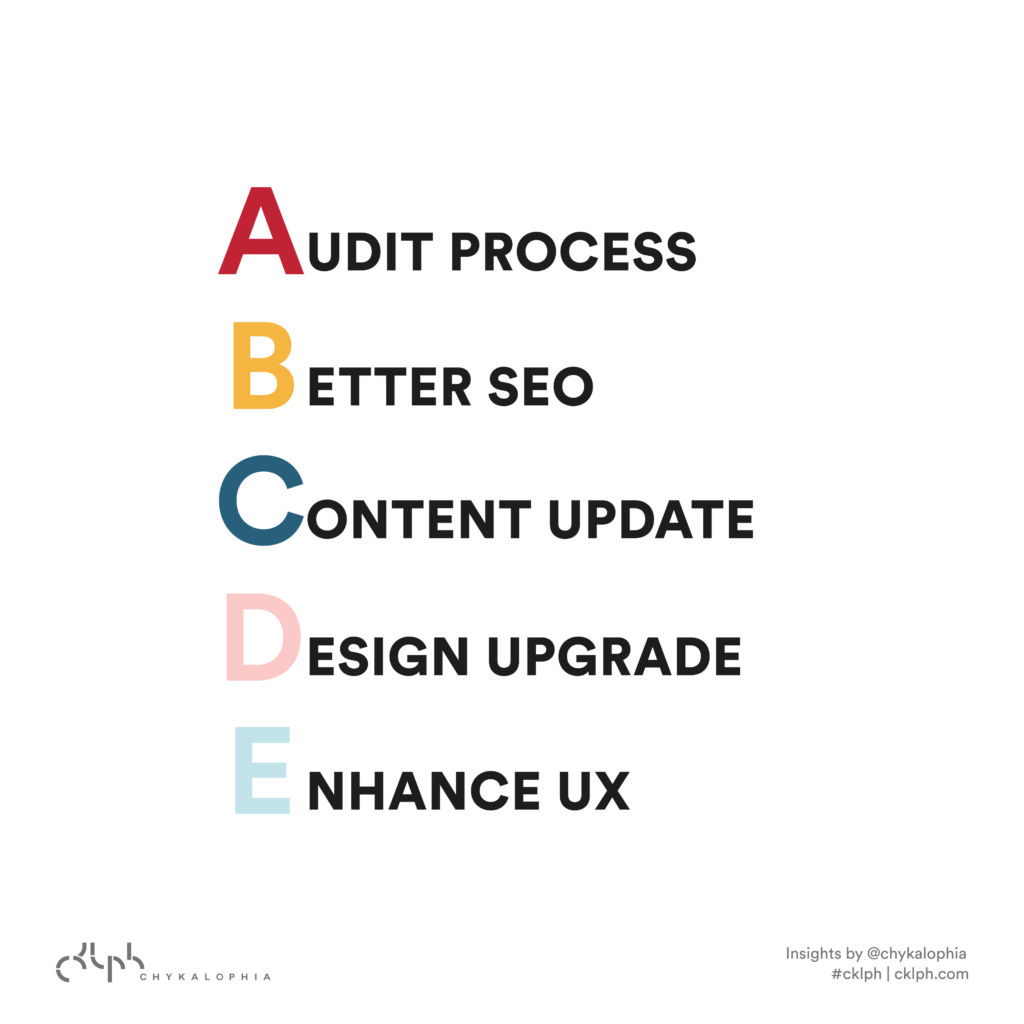
We've managed to simplify website revamp so it's easier to understand and execute. Follow the ABCs below!
- A: Audit process
- B: Better SEO
- C: Content update
- D: Design upgrade
- E: Enhanced UX
A for Audit process
The first step in revitalizing your website is conducting a thorough audit. This process helps you understand your users' behaviors, identify pain points, and identify weak spots in your website structure.
Use analytics tools (we use good old Google Analytics) to gather data on user engagement, page views, and bounce rates. Don't forget to gather user feedback and comments so you can understand their expectations and concerns. This comprehensive audit will serve as the foundation for your website revamp strategy.
B for Better SEO
Update your keywords to align with current trends and user search patterns. You can use Google Trends or paid tools like SEMRush and Yoast SEO for this. Then, review and optimize your internal and external links to improve navigation and search engine rankings. On top of that, it's also important to identify and fix broken links, as they can negatively impact user experience and SEO performance.
C for Content update
Review every piece of content on your website, especially product descriptions, if you run an e-commerce business. They're one of the most important pieces that drive purchase decisions, so update them regularly to ensure that the product image, size, price, and overall description are accurate.
Other than product descriptions, other content like page copy and resources or blog posts should always be up-to-date, relevant, and aligned with your current business objectives. Update your multimedia elements to maintain a fresh and visually appealing website and ensure all hyperlinks and buttons are working properly.
D for Design upgrade
Before you start your website redesign project, evaluate your current design in light of modern practices and industry trends. Consider factors such as mobile responsiveness, intuitive navigation, and aesthetic appeal. Then, align the design elements with your brand style. A well-designed website not only attracts visitors but also enhances the overall user experience.
E for Enhanced UX
After gathering information and feedback during the audit process, you can spot areas for improvement in the user experience. Address navigation issues, streamline the conversion process, and optimize the overall user journey. Make sure your website is easy to navigate, with clear calls-to-action and intuitive menus. A positive user experience not only keeps visitors on your site but also encourages them to explore and engage with your content.
Is website revamp always the answer, though?
Not always. While website redesign or revamp is often a practical approach, there are situations where creating an entirely new website becomes the wiser choice. Outdated technology, changing from static to dynamic, poor scalability, security issues, or other major changes are usually better off with a new website.
Keep reading
 UX & Web Design
5 Web Design Mistakes You Should Avoid and Fix Immediately
Since a website is often the first point of contact between you and your audience, let's get to know five critical web design mistakes that business owners and UX designers often make. A…
 UX & Web Design
Dynamic Website Explained: 3 Ways to Make Your Site Dynamic
You might have often heard that a dynamic website can benefit your business and your users. But what does it actually entail? What makes a site dynamic and how does it help bring you more…
 UX & Web Design
How to Create an Autism-Friendly Website: 5 Primary Mistakes to Avoid & Web Accessibility Testing Tools
Designing an autism-friendly website means clearing away visual noise, confusing navigation, and purposeless animation so neurodivergent visitors can focus. Here are five common mistakes to avoid, plus five steps for testing your site's accessibility.
See exactly where your site is losing conversions
Paste your URL and get an instant conversion score. No form to fill out, no sales call.
Weekly strategies for businesses building what's next.
The Next Draft: one email a week on turning B2B websites into pipeline. No fluff, unsubscribe anytime.